Launching Star Cadets: Touch Typing for Children, on a Voyage Through the Solar System
Star Cadets teaches children aged 6 to 12 to touch type on a trip through 14 worlds, and gives ages 2 to 6 their first letters. Progress stays on the device.
Star Cadets is a touch-typing app for children. Cadets aged 6 to 12 learn the keyboard one pair of keys at a time on a voyage through the solar system in the year 2126, and children aged 2 to 6 get their first steps with keys and letters. It is the children's version of cueset/type. It keeps the same ideas: only the right key moves you on, every key is shown with its finger, practice goes back to the keys a child misses, and races are against their own best. We rebuilt it small, with no server of ours behind it. It needs no account, has no ads and no analytics, and a child's name and progress never leave the device. Today it is live at starcadets.app.
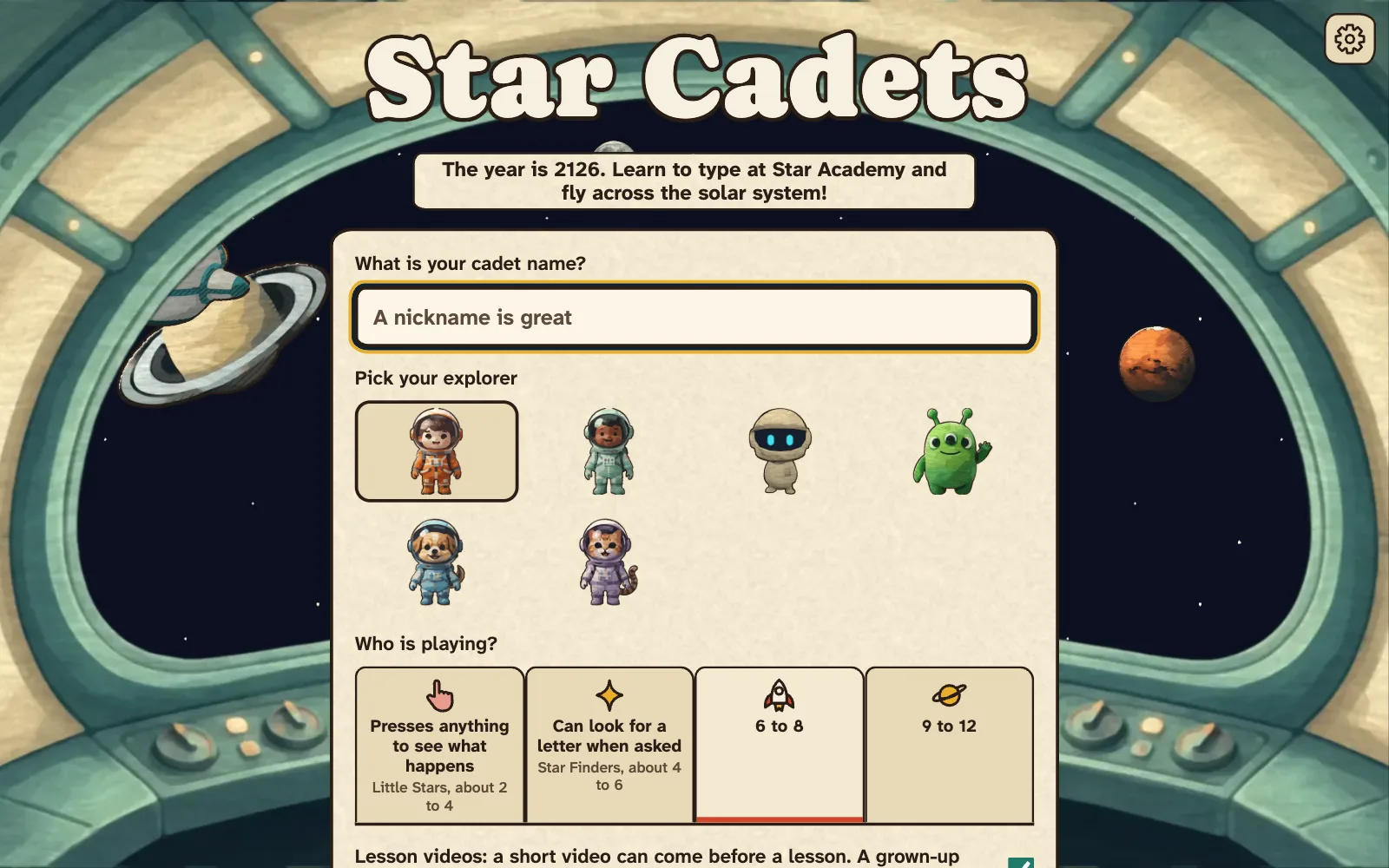 Joining takes a nickname, an explorer and an age group. A grown-up picks the group by what the child can do.
Four groups, picked by what a child does
The first screen asks who is playing, and each choice describes what the child does. "Presses anything to see what happens" is Little Stars, about 2 to 4. "Can look for a letter when asked" is Star Finders, about 4 to 6. Then come 6 to 8 and 9 to 12, the two groups that learn to touch type. A grown-up can change the group later in the Parent Zone, and nothing is lost by switching.
The two youngest groups have pages of their own, and they never reach the typing lessons. In Little Stars, any key or tap gets an instant response in a space scene, and a key's letter is said and shown. Nothing can be wrong, and there are no stars, scores or map. A scene moves on by itself after a handful of presses.
In Star Finders, Cosmo, the robot guide, says one giant letter and lights its key. Any finger counts, and a different key just gets the request repeated. The child's own initial comes first. On a touch screen the child gets two to six giant letters to tap instead of a keyboard.
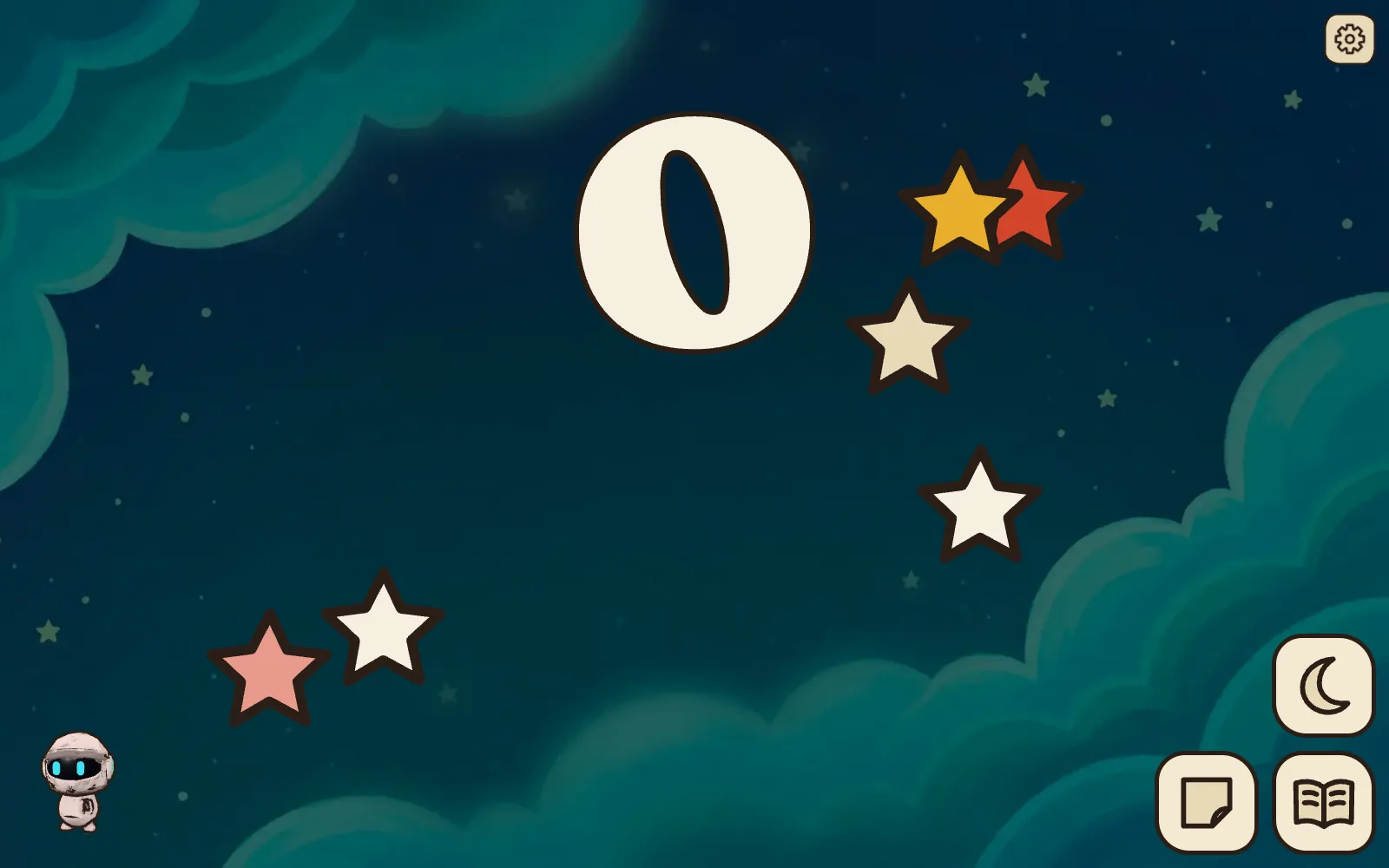 Little Stars: every press puts something in the sky and says the letter. There is nothing to get wrong.
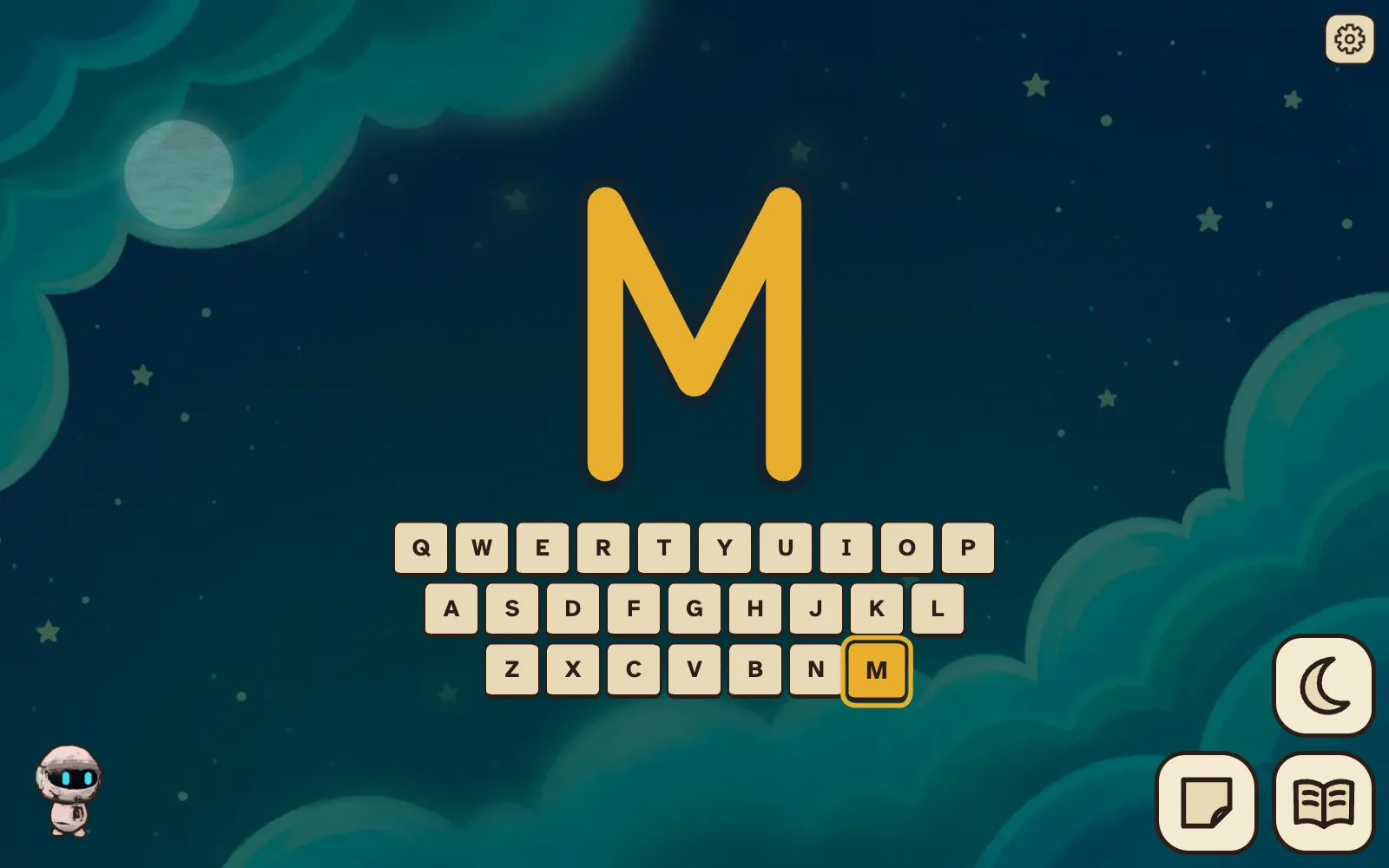 Star Finders: Cosmo asks for one letter and lights its key. Any finger counts.
Both groups end with "Time to land": after 10 minutes for Little Stars, or 15 for Star Finders, a calm closing routine gives the adult a real-world prompt, and nothing plays next. The timer counts across the session, so closing the tab doesn't reset it. Grown-ups leave these pages by holding the corner button for two and a half seconds.
Fourteen worlds, from Earth to Starbase 2126
From age 6 the Star Map is home. There are 14 worlds on the route: Earth, the Moon, Venus, Mercury, the Sun, Mars, the Asteroid Belt, Jupiter, Saturn, Uranus, Neptune, Pluto, the Milky Way and Starbase 2126. Each world teaches a few new keys and is about one real place. A world has its key lessons, a words mission, three facts to log and a quiz. Cosmo's ship flies along the dotted path when a new world opens.
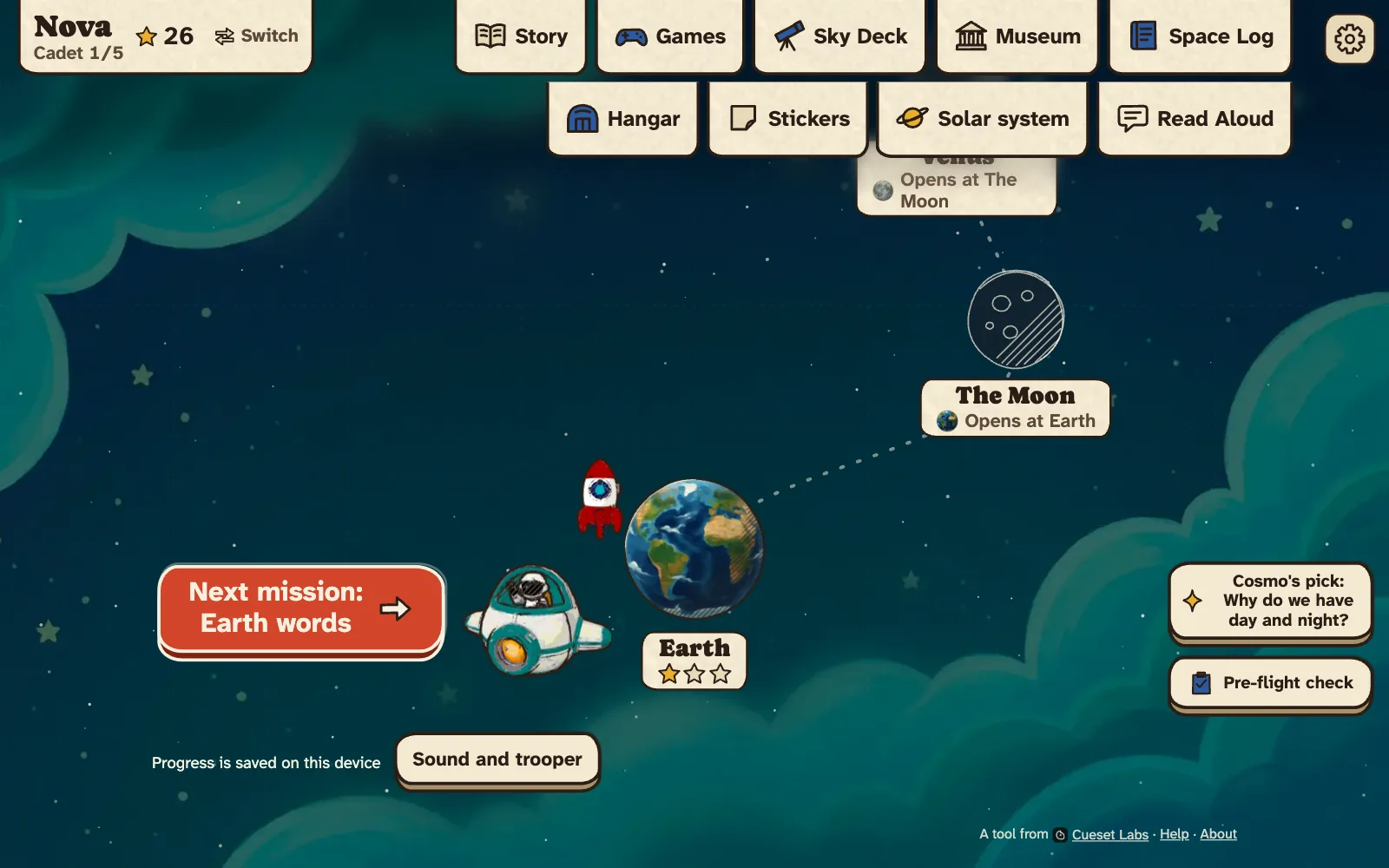 The Star Map for a test cadet partway through Earth. The next mission is one press away, and the Moon opens once Earth is done.
A test fails the build if any typed line uses a key the cadet hasn't been taught yet. So the first worlds can only use home-row letters, and their typed lines are short and playful while Cosmo reads the fact itself aloud. Real sentences start around the Sun and Mars. The facts are written to be true. Anything imagined about the year 2126 goes in a separate field, and the app always labels it "Future idea: not real yet".
The app also comes back to what a cadet has learned. Ages 9 to 12 type some quiz answers instead of picking them. A Pre-flight check, offered at most once a day and never required, warms up old words and repeats the question from an earlier world that was asked longest ago. A wrong quiz answer gets a one-sentence explanation from Cosmo and another try.
Only the right key moves you on
The lessons work like cueset/type's. The cursor waits on the next letter until the right key is pressed. Each key on the on-screen keyboard is coloured by the finger that should press it, and the bumps on F and J are marked. Guide hands sit over the keyboard, and the finger for the next key lights up.
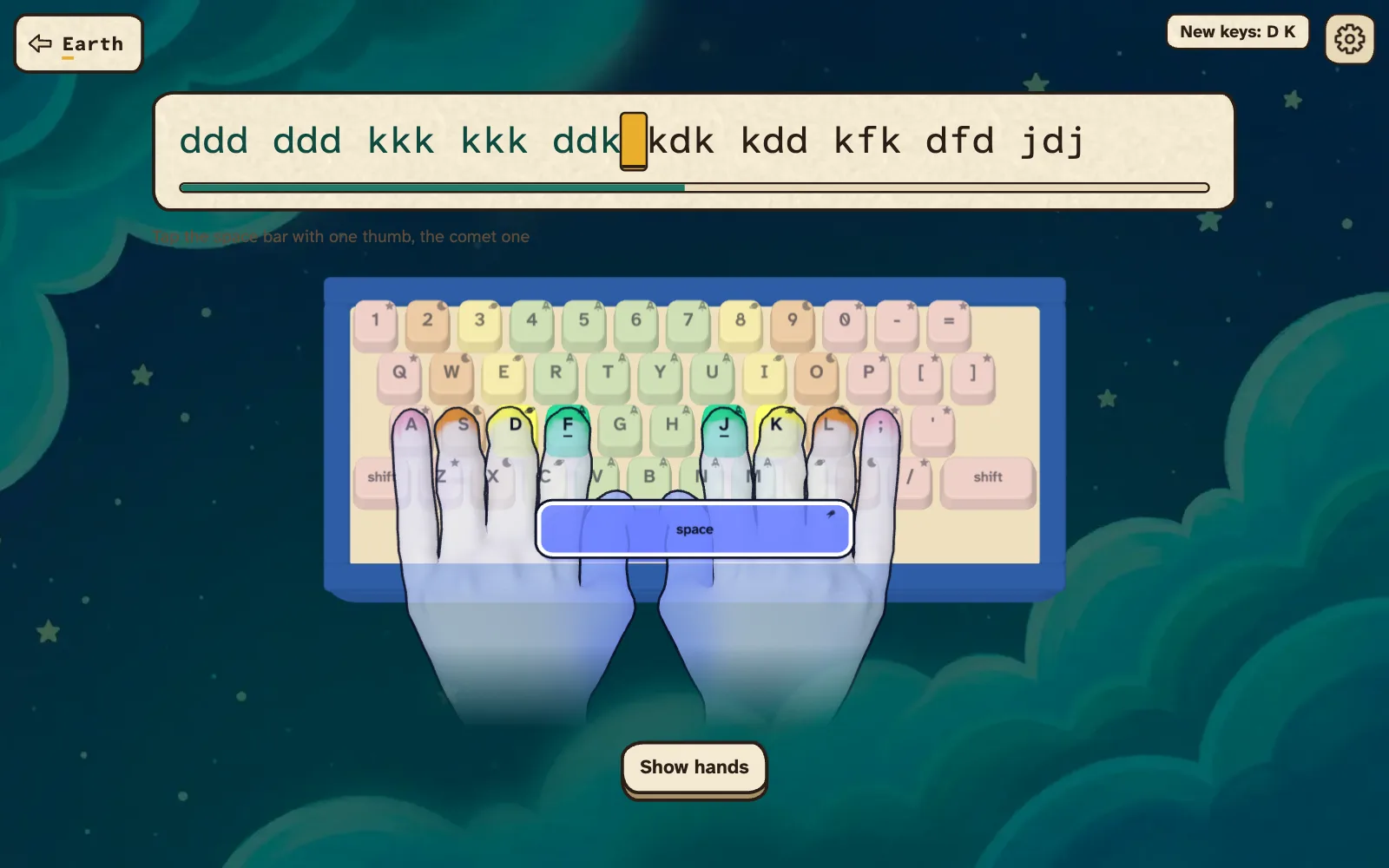 An Earth lesson that adds D and K. The keys are coloured by finger, and the guide hands show which one moves next.
Help after a wrong key depends on age. For ages 6 to 8 it comes at once: the next letter gets a thick line in its finger's colour, and small hands show the finger. For ages 9 to 12 it waits for a second wrong key. Every key's hits and misses are kept, and a training round goes back to the keys a cadet misses most.
There is no streak and no leaderboard. A missed day costs nothing, and the count of "Days flown" only goes up. Younger cadets see their ship's speed instead of words a minute, and Rocket Race is against the ghost of your own best run. We treat these as design bets. The fair test is how a child types on text they haven't seen, and what they still remember a week later.
Games that teach the science
The Games page holds the arcade: Asteroid Blast, Rocket Race, Shooting Stars, Moon Drive, Asteroid Dodge, Shield Run and seasonal games, plus My Space, a sandbox where typed words put objects in a saved scene. Each one carries some real science. Shooting Stars explains that a shooting star is a bit of space dust burning up high in the air. Moon Drive explains why tyre tracks stay on the Moon for so long.
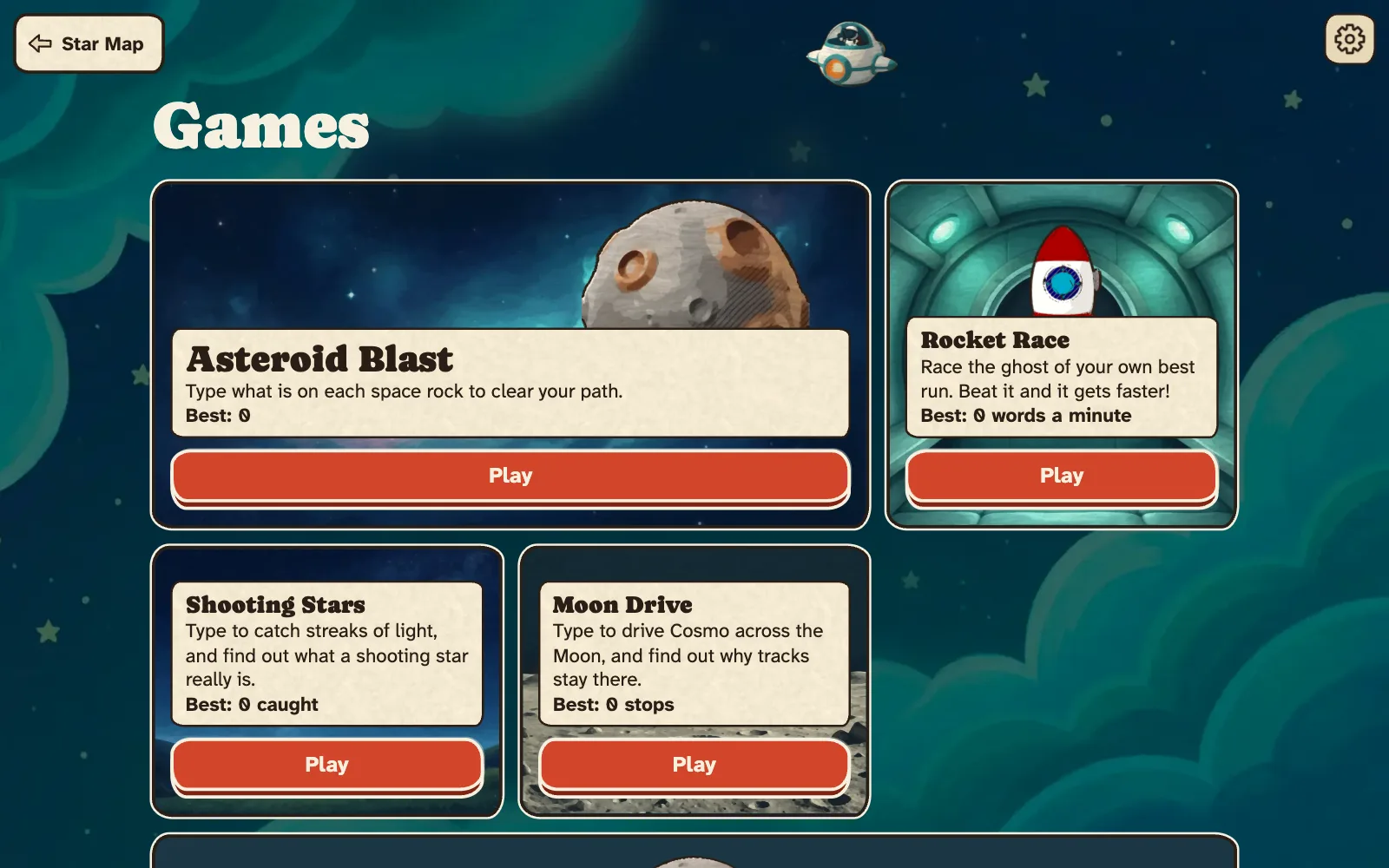 The Games page. Each game keeps a best score for the cadet and nothing else.
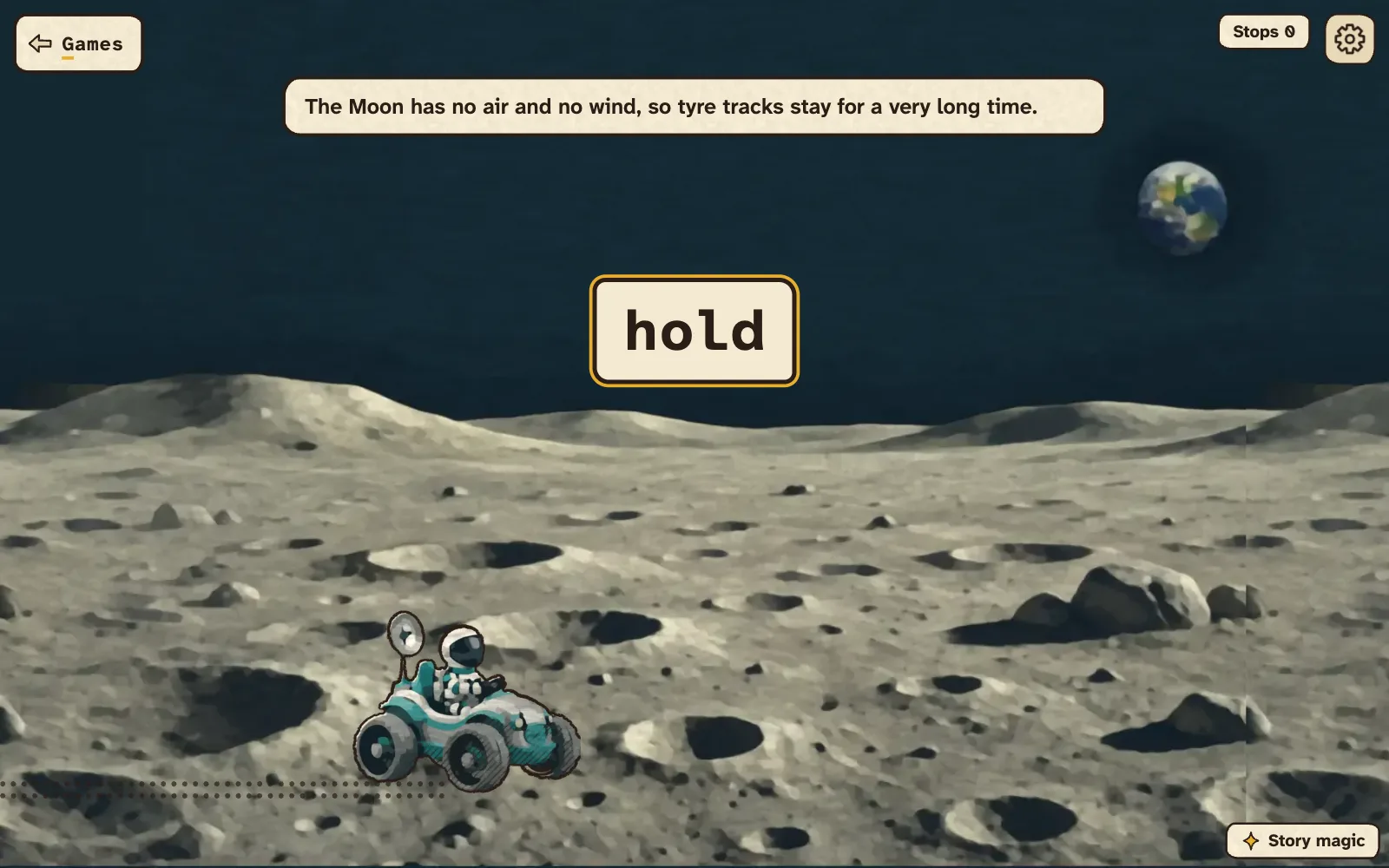 Moon Drive: type the word to drive the next stretch. A wrong key costs nothing, and the rover waits.
Every game for ages 6 to 12 follows the same round rules. A round ends once its goal is met and at least 60 seconds of active play have passed, or softly at 90 seconds for ages 6 to 8 and 120 for ages 9 to 12. There is no countdown on screen.
In the thirteen Space Labs, the word a child types is a prediction, and a simulation shows what really happens, even after a wrong guess. Round World Drop asks which way is down. Rover Relay plans a drive around the signal delay to Mars. Low-G Leap compares the same jump on different worlds. Size Jumps steps up ten times at a time. The numbers come from one file with a source for each, and a test checks every answer against the physics.
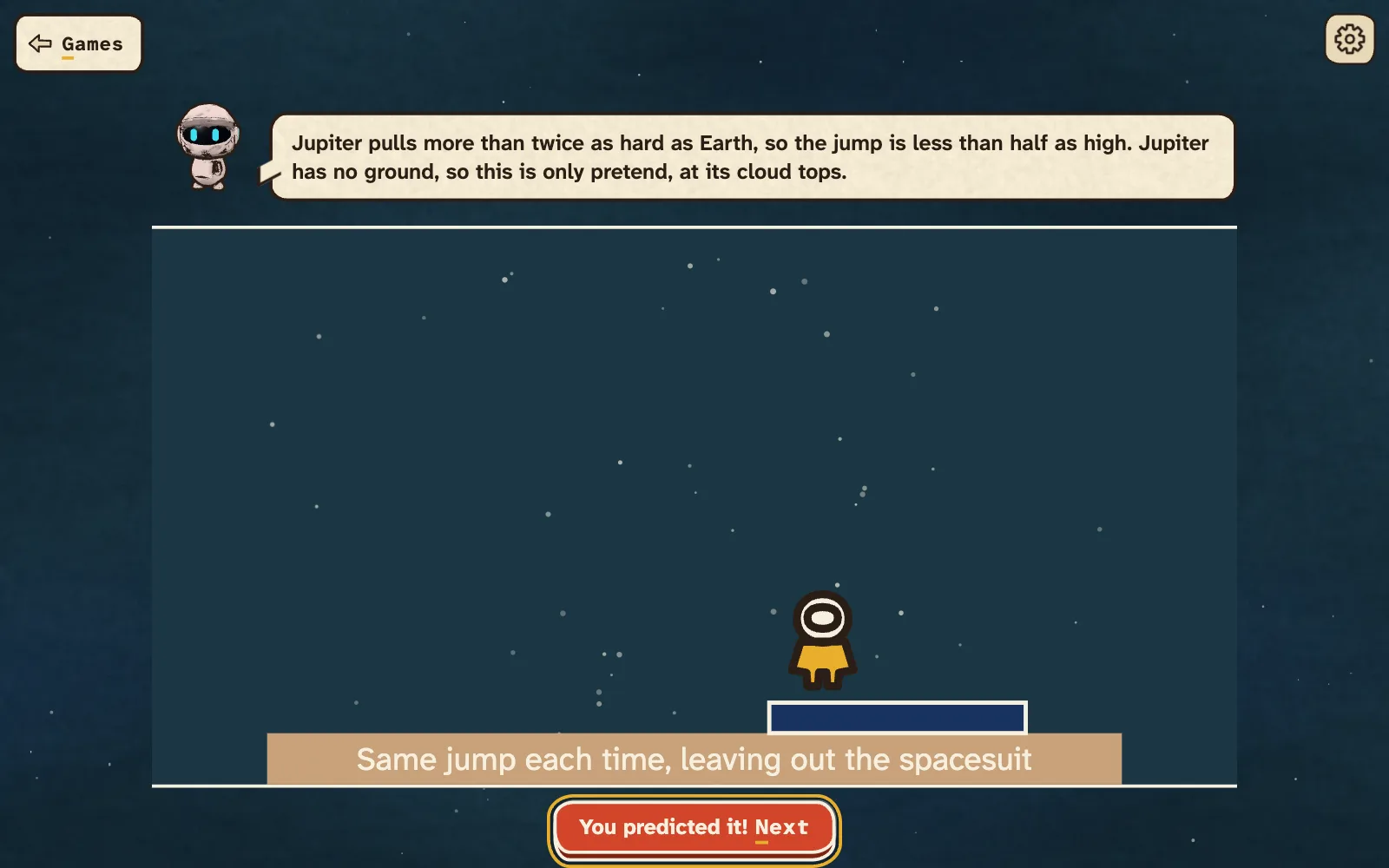 Low-G Leap after a right prediction. Cosmo adds that Jupiter has no ground, so the jump happens at its cloud tops.
On a powerful computer there is also 3D Flying, in beta: type the word on a gate to fly through it. It checks the device first and asks a grown-up before downloading about 100 MB.
Books, a sky deck and a museum
The Dark Middle is an interactive storybook about finding something you can't see. Each chapter can be heard, read alone, or typed, where a typed word does what it names: look swings the view round. Who Looked Up covers star pictures, who looked first and worlds around other stars. Read Aloud has 34 levels in which Cosmo says a word and the child types it, and each level tells them something about space.
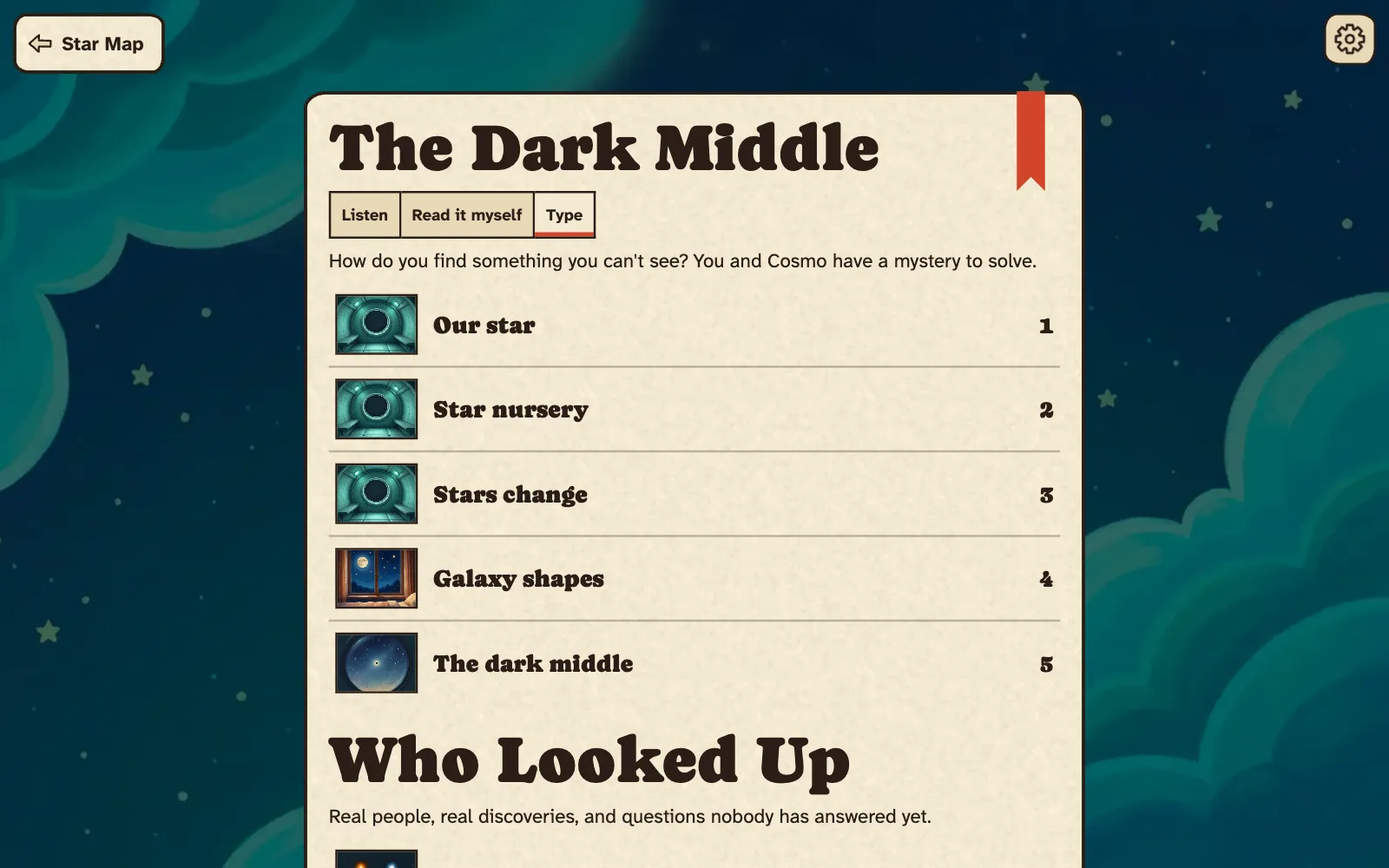 The story reader. The chapter list never locks, and every chapter can be finished by tapping.
Sky Deck covers topics that depend on where you look from: day and night, the Moon's shapes, eclipses, tides, seasons and true distances. It shows the big picture from space and the small one from the ground side by side. Then and Now, the museum, sets what people knew against what we know now, one spoken fact per tap.
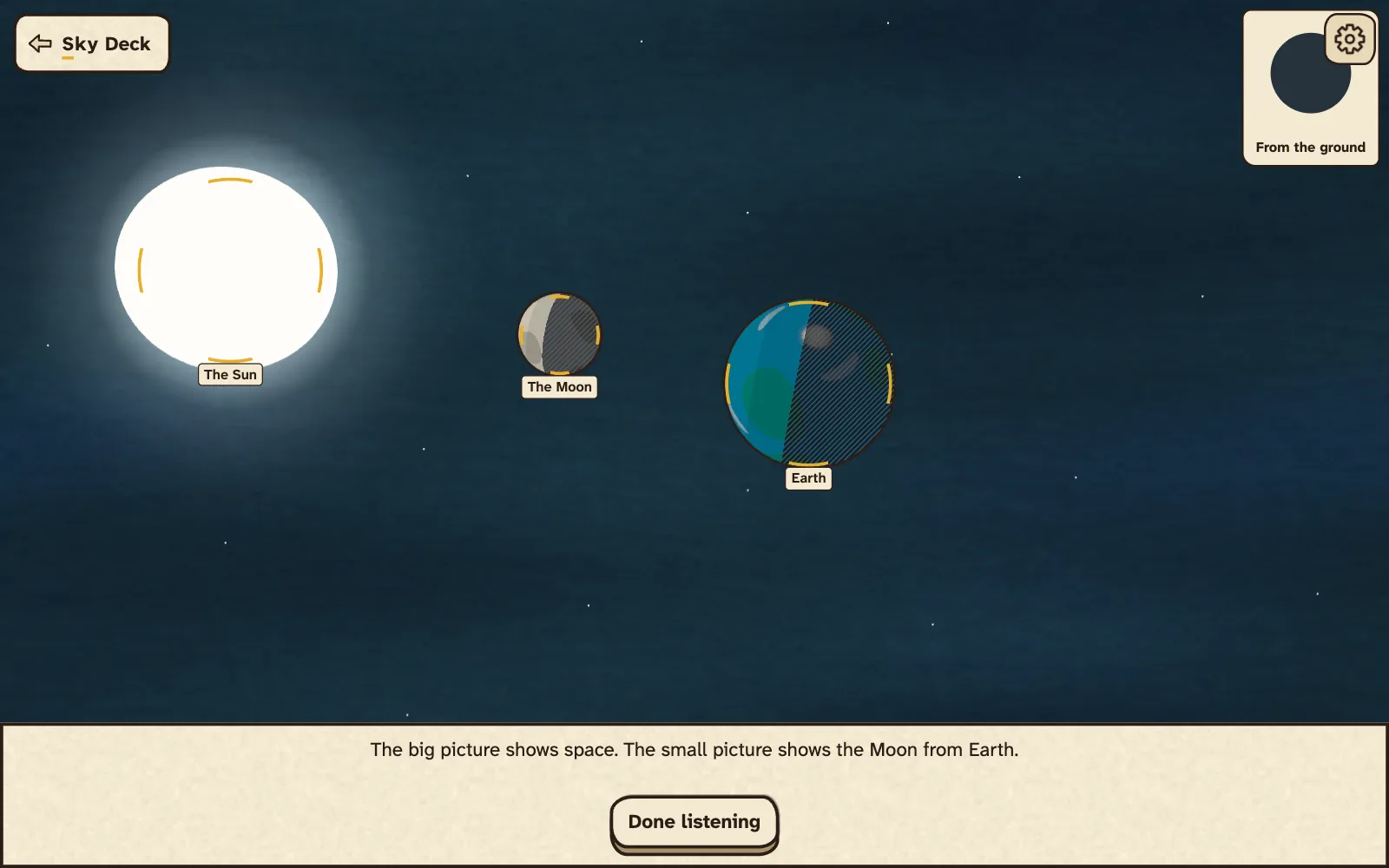 Sky Deck's Moon phases. The big picture is space, and the small one is the Moon as you'd see it from Earth.
The black hole in the storybook is drawn in code, never generated. Image models tend to draw a whirlpool, which teaches the wrong idea. A test fails the build on words such as suck, swallow or hungry. None of this wording has had an expert review yet.
The Parent Zone and printing
The Parent Zone sits behind a simple sum that a young child can't answer. Each cadet has a card with missions done, worlds reached, facts learned, days flown, best race and the keys to practise, plus a typing report with accuracy and speed over time. This is also where a grown-up turns lesson videos on or off for each cadet, picks the keyboard look and typing sound, and saves a backup file. Clearing the browser's site data erases progress, so the backup is the only copy that survives it.
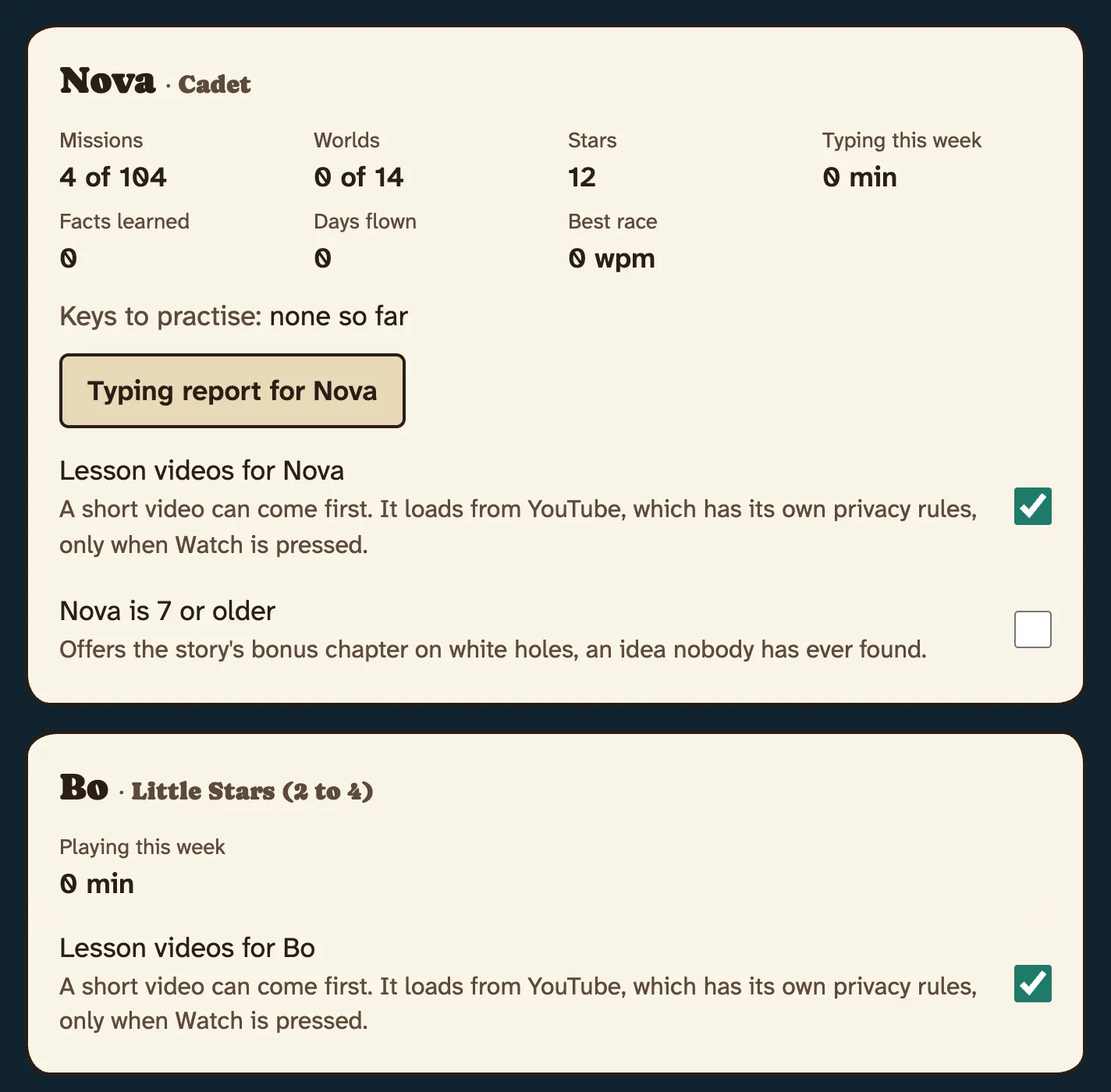 Cadet cards in the Parent Zone for two test cadets. A Little Star's card shows only time played, because there is nothing to score.
Printing is a page of its own, for time away from the screen: a paper keyboard coloured by finger, words to trace and then type, a star chart, planet cards, a quiz, a word search, colouring pages, and fold-up models of a planet globe, a rocket, a letter dice and a planet wheel. The practice sheets use only the keys the chosen cadet has learned. Each globe is opened out from an icosahedron so that every cut edge has exactly one numbered tab, and it is painted from the planet's own surface map. A child's name goes on the pages only if a grown-up ticks the box, and it isn't saved.
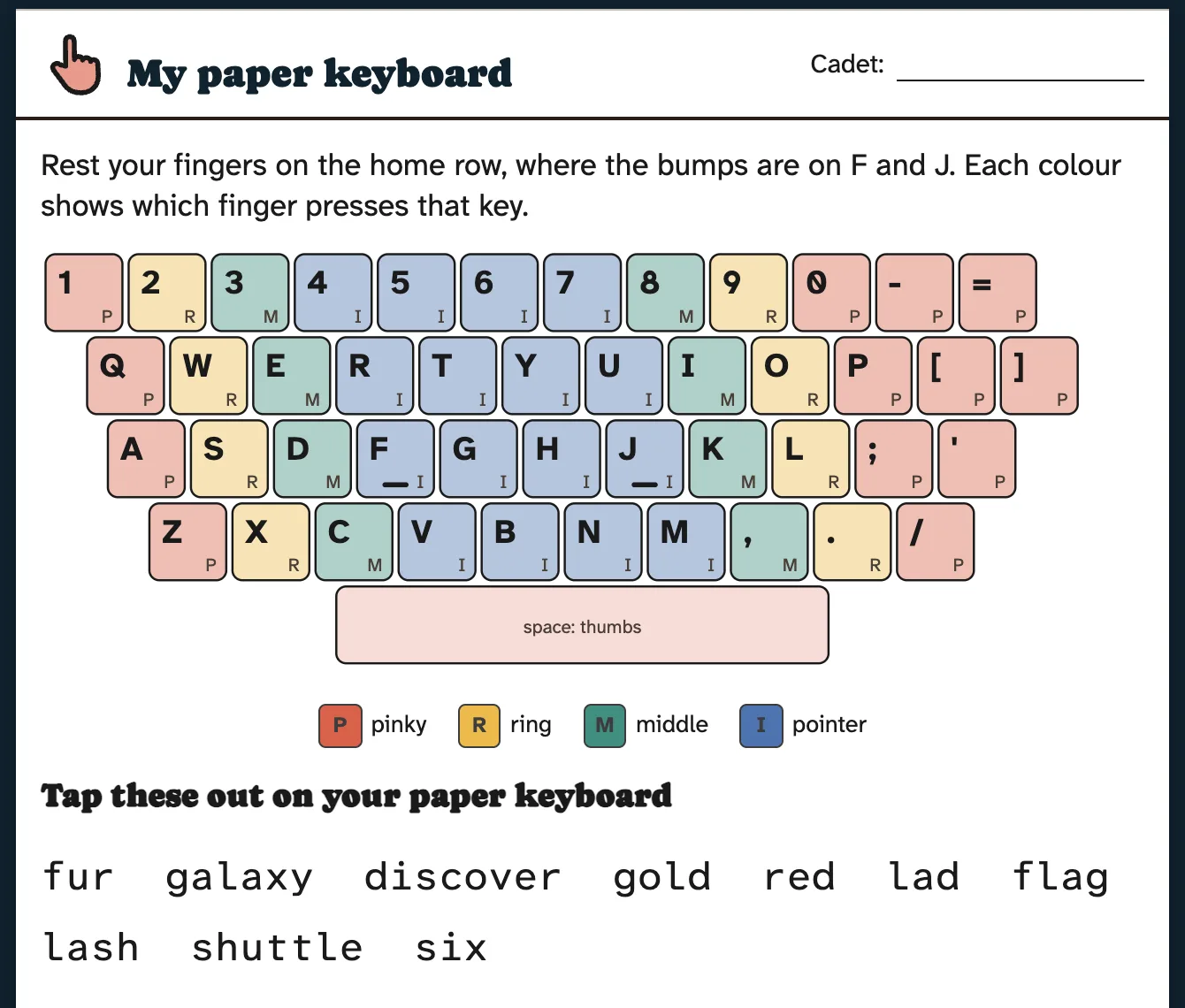 A paper keyboard for practising reaches at the table. The words use only the keys this cadet has learned.
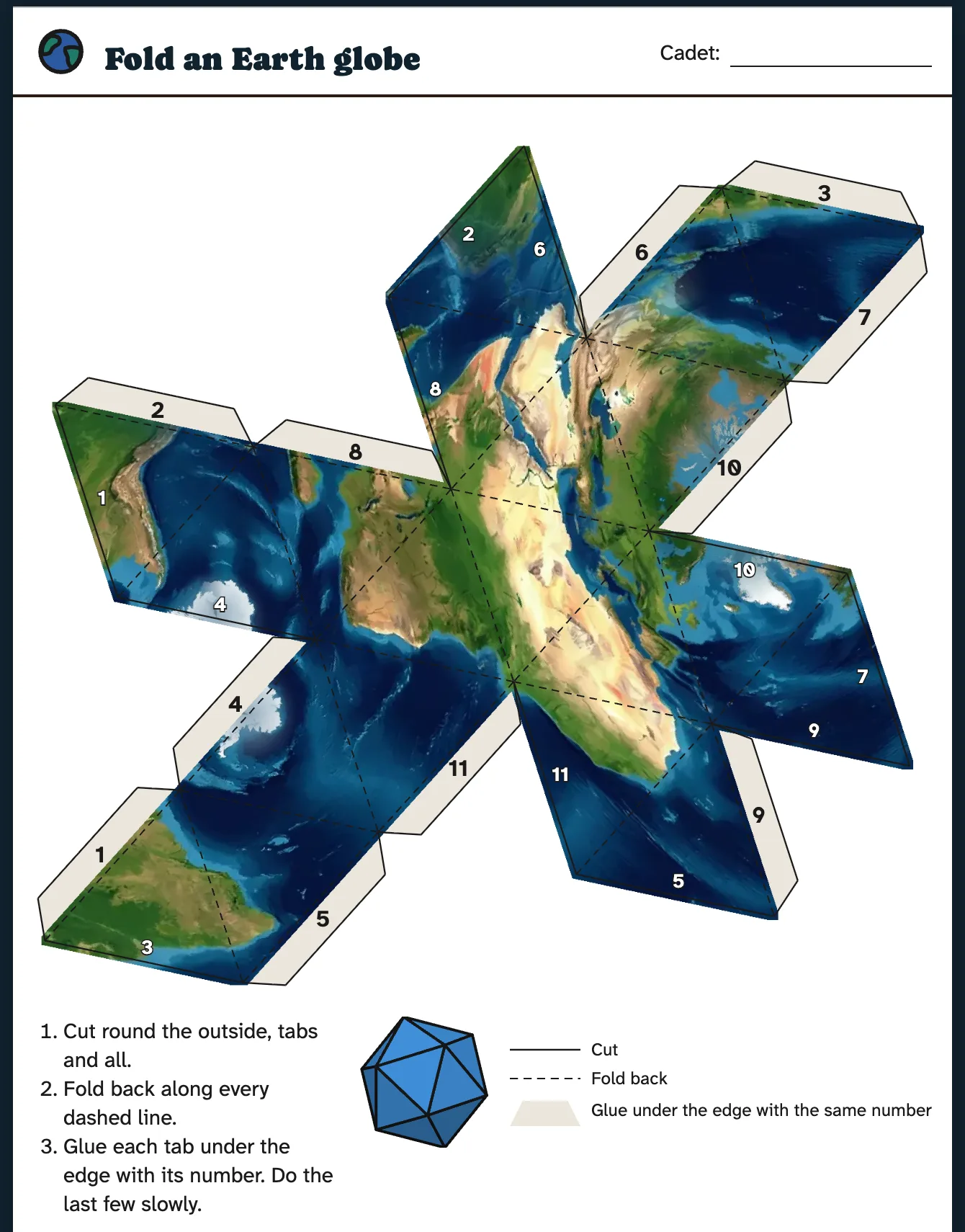 A fold-up Earth globe. The sheets are made on the device and fit A4 and US Letter.
What runs where
The app is static files on Cloudflare Pages. All progress is one compressed record in the browser's local storage, and a service worker caches every file on the first visit, so it works offline from then on. Fonts, art, 3D models, sounds and narration all ship with the app. Sounds are synthesised in the browser. Cosmo's voice is recorded clips, made before release with Google's Gemini text-to-speech, so no speech is generated online and no text leaves the device.
The build's Content Security Policy blocks every other origin, and an end-to-end test fails if the app makes any outside request. A grown-up controls the two exceptions. A short lesson video can come before a lesson; it loads from YouTube, under YouTube's own privacy rules, only when Watch is pressed, and a grown-up can turn videos off for each cadet. 3D Flying's scene loads in a frame from Star Cadets' own game site, its download waits for the grown-ups' sum, and no name or progress is passed to it.
The art was made for the app. Paintings of planets, ships and scenes came from Qwen-Image, and the 3D models from TRELLIS.2.
Limits
Star Cadets is English only, and it supports US and UK QWERTY. cueset/type's other languages and layouts weren't carried over. From age 6, touch typing needs a physical keyboard. A tablet's on-screen keyboard works, but you can't learn touch typing on one. Little Stars and Star Finders work fully by touch.
It hasn't been tested with families at scale. The interaction choices, the round lengths and the no-streaks rule are bets drawn from research reports that live in the repository, and we expect playtests to change some of them.
Try it
Open starcadets.app on a computer with a keyboard. Pick a nickname, an explorer and the group that fits your child, and the first Earth lesson is one press away. Grown-ups should open the Parent Zone (the gear button, then the sum) early on to set sound, videos and the keyboard look, and to save a backup now and then. For adults who type for a living, cueset/type is the grown-up version.